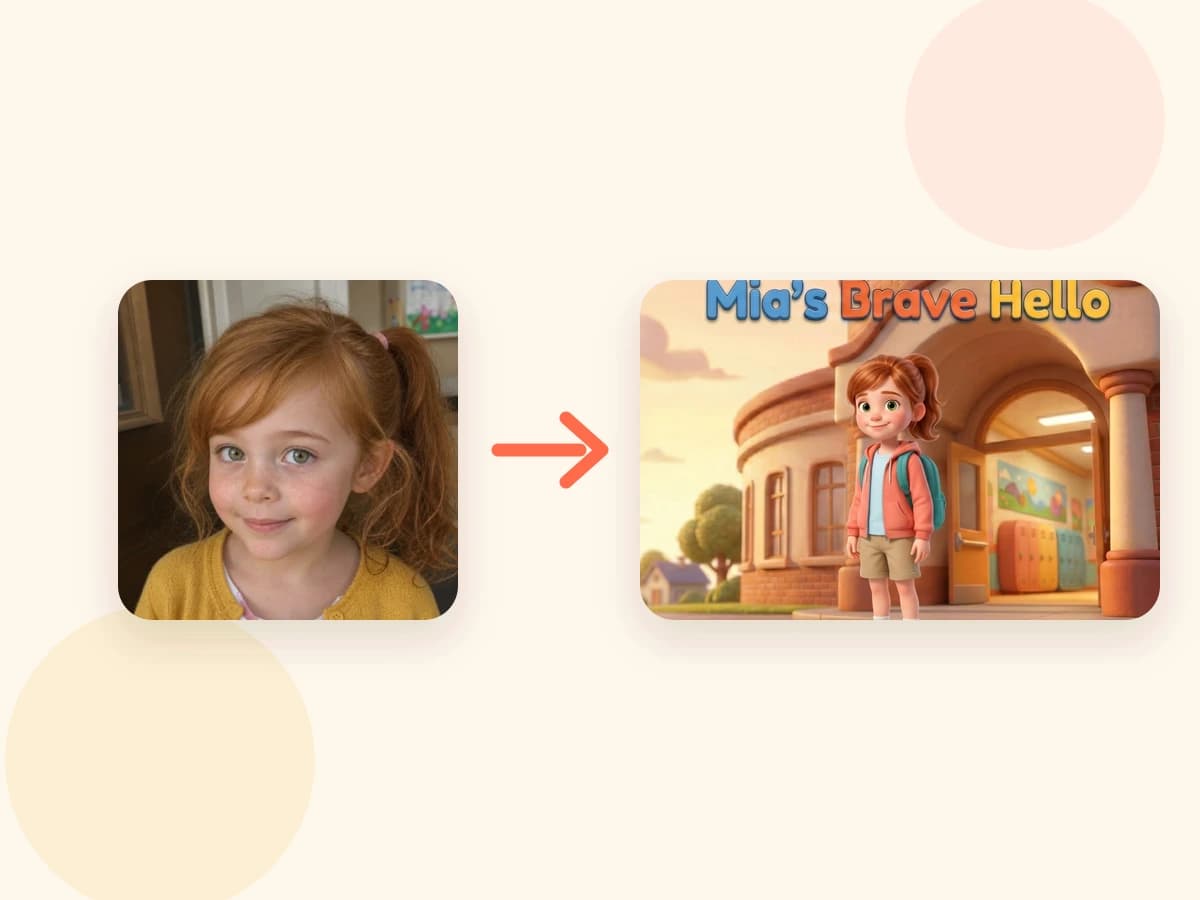
Photo to storybook

Turn a Photo Into a Personalized Children's Book

Start with a child photo, choose a story direction, preview the character and cover direction, review the finished digital book, and print a keepsake when it feels ready.

Child photos are private creation inputs. Tippytale public pages use approved demo assets, and the photo-safety guide explains the boundary in more detail.

Read photo safety
Demo child photo next to a personalized storybook preview

How it works

A photo helps the character feel like the child.

1

Add a child photo

Use a private reference photo so the illustrated character can feel connected to the child.

2

Choose the story direction

Start from a template or shape a custom idea around the child, family, moment, and feeling.

3

Preview the direction

Templates show sample pages. Create-from-scratch books show character and cover direction first.

4

Review and edit

After checkout, review the full digital book and adjust the story before ordering print.

5

Print when ready

Order the printed keepsake only after the digital book feels ready.

When to use it

Use this path when likeness matters.

This path is strongest when the child should recognize themselves as the hero, not only see their name in a story.

A birthday gift where the child becomes the hero

A grandparent gift made for the child from Grandma or Grandpa

A bedtime keepsake built around a familiar child and family world

A school, sibling, confidence, or new-routine moment

FAQ

Questions before starting from a photo.

Can I turn a photo into a storybook?+

Yes. Tippytale can use a child photo as a private reference for the illustrated character direction, then guide the story through a template or create-from-scratch path.

Is my child's photo public?+

No. Public pages use demo assets. Private child photos should not be used as public product examples, public URLs, or analytics fields.

Can I review the book before printing?+

Yes. The digital book is reviewed before ordering a printed copy. Print options are shown in checkout before payment.

Can I edit the story or artwork?+

Tippytale is built around review and editing before the book becomes a printed keepsake. The exact preview stage depends on whether you start from a template or from scratch.

What if I do not want to use a photo?+

You can browse templates first or create a story from your own idea. A photo helps with visual personalization, but the best starting path depends on the book you want to make.

Ready to begin?

Add the child and shape the story.

Start with a photo